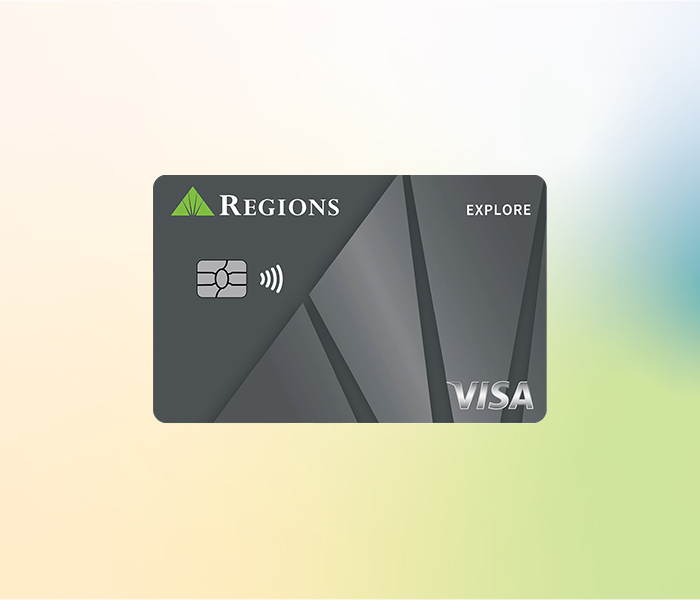
Move forward with an Explore secured card
Take a step toward a solid financial future by applying for the Explore Visa®
Credit Card. The funds you deposit in an Explore Card Savings Account will secure your credit card obligations while earning interest at the same time.1 Responsible use of the Explore Credit Card can help you build a positive credit history and possibly qualify you for a refund of your security deposit.2
Explore card at a glance
Credit card control
Regions LockIt® gives you the power to customize how, when and where your credit card can be used.
Alerts to verify card activity
If we see something suspicious, we may text, email and/or call you to determine whether you authorized the transaction.
Visa Zero Liability Policy5
You're not responsible for unauthorized transactions made with your Visa credit card, online or offline.
Card details
- 26.74% variable annual percentage rate (APR) for purchases and balance transfers.
- 28.74% variable APR for cash advances.
- $29 annual fee.4
- $10 balance transfer fee or 4% of the amount of the balance transferred, whichever is greater.
- $10 cash advance fee or 4% of the amount of the cash advance, whichever is greater.
- Late payment fee of up to $39.
- No foreign transaction fee.
- View Explore Visa Credit Card pricing details.
- Refundable Security Deposit. We may periodically evaluate your Credit Card Account to determine whether you qualify to have the funds in the Savings Account returned to you.2
- Regions LockIt® gives you the power to customize how, when and where your credit card can be used for certain types of transactions.
- View and activate Regions Offers® in Online and Mobile Banking6 to earn cash back at select retailers.
- Alerts to verify card activity. If we see something suspicious, we may text, email and/or call you to determine whether you authorized the transaction.
- Simplified online shopping when you register your Regions credit card and then click to pay where you see this icon Visa Click to Pay icon
 .7
.7 - Tap to Pay is a contactless payment option that combines the best of chip card technology and security with the convenience of wireless technology.
- Make purchases using digital wallets. With one touch of your device, pay with your credit card through Apple Pay®, Google Pay®, or Samsung Pay™.
- Option to use your card for overdraft protection on a Regions checking account.
- Customize your card with Regions YourPix Studio at no additional charge.
- Visa Zero Liability Policy8
Other Visa Benefits9
- Travel & Emergency Assistance
- Auto Rental Collision Damage Waiver
- Extended Warranty Protection
- Purchase Security
- See complete list in Visa's Guide to Benefits.
Frequently Asked Questions
What do I do if my credit card is about to expire?
If your credit card is about to expire, we’ll automatically send you a new card before your card expires. Your existing card will work through the last day of the expiration month. It will stop working once the new card is activated. If you have not received your new card and your old card has expired, please call us at 1-800-253-2265 to ensure we have your current mailing address.
How do I set up or manage automatic payments?
Log in to Regions Online Banking and navigate to your credit card account. Click Make a Payment in the upper right corner and follow the instructions. For Frequency, choose the option that reflects how often you want your automatic payments scheduled. On the Activity tab, choose View scheduled transfers to manage your upcoming automatic payments.
Learn how to set up automatic payments via mobile app or your local branch.
How do I sign up for payment alerts?
You can set up and manage your alerts by choosing Alerts from the Customer Service tab in Online Banking or from the main menu of the app. Select Payment Reminder and make your selection for alert delivery.
When/if you receive alerts from Regions may depend on factors outside of our control, including your email provider and mobile carrier, and your email, device and app settings. Your mobile carrier’s messaging and data fees may apply.
Find and apply for a credit card online
Still shopping? Compare cards to find the right one for you.
Ready to start? Apply online now for the Explore Visa Credit Card.

Simplify online shopping with Click to Pay
Register your Regions Explore Credit Card and then click to pay where you see this icon  .7
.7
Related Insights
-
 Article
10 min read
Article
10 min read

-
Article
7 min read

-
Article
9 min read

-
 Calculator