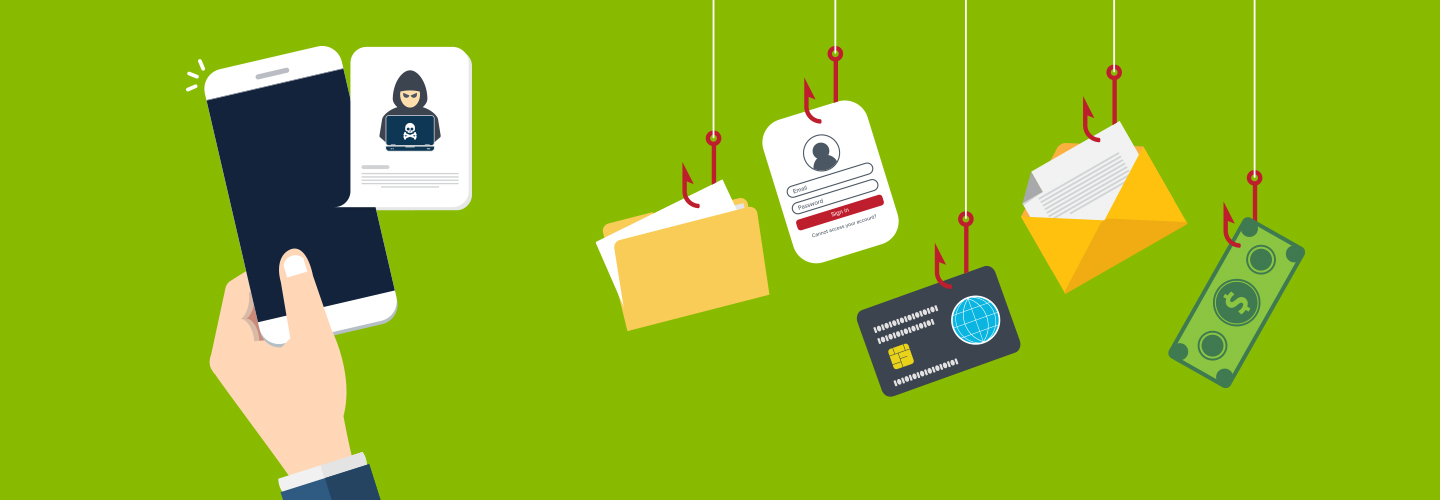
Mobile banking safety: Security tips to reduce your risk
Few things are easier than mobile banking. So how do you enjoy its convenience while keeping your account information safe?
Mobile banking is a financial tool so powerful that 55% of U.S. bank customers now prefer it. However, its widespread use also can make it a powerful enticement to fraudsters.
With that in mind, it’s important to be aware of threats to your mobile banking safety. Many types of threats exist, and they change every day. Some examples include phishing attacks, malware, SIM swapping, unsecured Wi-Fi, and data breaches. If successful, any one of these attacks could compromise your accounts, resulting in financial loss.
How do you enjoy the many benefits of mobile banking while keeping your money and personal information safe? Fortunately, awareness—and a healthy measure of common sense—will help you avoid these headaches.
Here’s our quick guide to keep bad actors at bay so you can bank on the go with confidence.
What is mobile banking?
Mobile banking helps you manage finances on the go, allowing you to bank outside business hours, such as sending and receiving payments from trusted sources and the ability to transfer money between your accounts anytime.
Chat features like the one in Regions Mobile Banking1 also gives you another way to access customer service and answer basic questions about your account.
At the same time, mobile banking helps you keep an eagle eye on cash flow. Features such as Zelle® make it easy to send, request and receive money with people you know and trust. And you can set alerts that notify you when your balance is getting low, or when a deposit is made to your account. Its powerful budgeting features allow you to track spending habits over time— knowledge that can help you save money and build wealth.
In short, there’s a lot about mobile banking to love. Yet, just like any other financial tool, mobile banking safety is critical to your financial wellbeing.
Should you use a mobile banking app?
The simple answer? Yes.
Every day, millions of users enjoy the convenience, flexibility, and the flow of information that would have been unheard-of a few years ago—and do so safely. Best of all, this power to manage your finances is available anywhere, anytime in the palm of your hand.
That’s why mobile banking has become an essential tool for many. Just the same as banking products such as credit cards, checking accounts, ATMs or any other conveniences, users find that, while taking normal precautions, mobile banking is safe and secure.
With that in mind, and with all the ways mobile banking makes life easier, here are tips you can follow to help safeguard yourself.
How to protect yourself against mobile banking fraud
A secure mobile banking experience is a matter of common sense—staying vigilant and taking simple precautions.
- Lock your device. This is the simplest measure to take. Your smartphone has the option to be locked against unwanted access. Depending on your device, it could be a simple passcode or—even better—a biometric such as a fingerprint or facial recognition. Either way, activation only takes a few minutes, and protects you against those who might gain physical access to your phone.
- Use multi-factor authentication. Simply put, multi-factor authentication requires you to verify your identity in multiple ways before accessing an account, thereby adding an extra layer of protection beyond just a password. Regions Bank, as one example, uses multifactor authentication to protect you when it detects new devices or suspicious activity.
- Keep all software updated. Regardless of your device or mobile app, all receive frequent software updates.2 Whether it’s for your device’s operating software or your mobile banking app, don’t delay in making these updates which may be issued in response to new, and often urgent, security threats. The sooner you upgrade to patch those vulnerabilities, the sooner you stay a step or two ahead of fraudsters.
- Turn on and pay attention to alerts. You often have the option to receive alerts about your bank account or credit cards by means of SMS text messages, email, or push notifications. It’s a good idea to enable alerts on your smartphone so you can note and respond to any bogus or questionable charges. Regions Alerts provides notifications on a number of transaction types, from credit card charges to withdrawals to low balances and more.3
Further, if you receive an alert for charges on your Regions credit card that you believe is suspicious, or there has been fraud on your card, you should lock your Regions card and notify Regions right away if you believe your Regions card has been used in a fraudulent manner. - Download apps from only trusted sources. Thoroughly vet any app before downloading it. If possible, use trusted sources such as Google Play™ for Android or the App Store® for IOS devices.
- No jailbreaking. If you modify your device or add unauthorized software, you could accidentally create a backdoor for bad actors to access your phone and your accounts.
- Avoid public Wi-Fi. This is especially true when using your mobile banking app. If you’re using a public Wi-Fi at an airport, a coffee shop, or anywhere else, chances are good that others are using it, too. And others on that same Wi-Fi network might not have honest intentions. In fact, fraudsters will often create lookalike Wi-Fi domains that spoof legitimate domains to capture your credentials. In any event, if using a public Wi-Fi, the use of a VPN (Virtual Private Network) is highly recommended.
- Disable Bluetooth when not in use. Doing this will help avoid linking to unknown devices, as well as keeping your device from being discovered.
- Be wary of suspicious links, texts, and calls. Don't click on links or answer calls from unknown sources, especially those asking for personal information. Even a text that seems innocuous, such as “What time is the meeting?” from an unknown number, could be an attempt to gain access to your device.
- Treat your personal information like gold. Because, to scammers, that’s exactly what it is. Exercise caution at all times.
Personal information not to share includes:- Phone number
- Address
- Social Security number
- Financial data
- User ID and passwords
Even if you think it’s someone you know, be cautious. Artificial intelligence can be harnessed by scammers to clone the voices of friends and family. It’s best to verify any requests in a separate phone call.
- Verify your caller’s identity. If, for example, you receive an unsolicited call or text from a bank or government organization that asks for personal information, do not respond. Instead, hang up and then ask for the purported caller using a legitimate number found online. And do not rely on Caller ID to decide if a caller is legitimate. Scammers can often fake Caller ID.
- Make caution your default. Don’t rule out your intuition. When in doubt, always verify. It’s better to be safe than sorry.
- Familiarize yourself with security features. As one example, the Regions Mobile app has LockIt Card Controls that allow you to block certain transactions, whether at an ATM, retailer, online, and more.
- If you suspect you’ve been hacked, act immediately. Contact Regions Bank right away, day or night, if you believe you’ve been victimized by fraud. Or in the event of suspected identity theft, use the resources provided by the Regions Identity Theft Kit and the Federal Trade Commission to help limit the damage.
- Pay attention to alerts and notifications. That way, you can actively monitor activity on your account, and respond quickly to anything that looks suspicious.
Steps Regions takes to prevent mobile banking fraud
- We take your privacy seriously. Your trust and confidence are our most prized assets. That means we follow rigorous, transparent standards in how we collect, share, and protect your information. Regions Bank’s Privacy Pledge is our commitment to safeguarding customers.
- We continuously implement new technology to ensure customer security and confidentiality. Security means ever-changing challenges. We put the most advanced upgrades to work on behalf of you. Curious how we keep your information secure? Visit our Privacy & Security pages today.
- We use multi-factor authentication to verify your identity when you log in. Multi-factor authentication (MFA), such as one-time codes (OTC), help protect your accounts. If Regions systems detect a new device or an unusual pattern with your login, you may be presented with an OTC challenge that you must pass before being allowed to log in.
- We carefully protect your privacy. We will not share your personal information with non-Regions affiliated companies selling you their products or services.
- We use secure sessions. To prevent unauthorized access to your online or mobile banking accounts, banking sessions on computers or mobile devices are set to automatically sign off after a short period of non-use. It’s best to sign off or close your browser after completing your online or mobile banking session.
In short, your mobile banking app is a technological miracle. It combines technology, convenience, and security to help you navigate your day-to-day financial life.
Ready to take the plunge?
Mobile banking is easy to use and just as easy to get started. Follow these steps and you can enjoy a new level of convenience within minutes.
- Download the Regions Mobile app today. Or, if you have questions about your Regions Mobile app, contact us today.
- Register your account information. This means creating a username and password, Depending on your phone, you may be asked to provide biometric identification such as a scan of your face.
- That’s it! Log in to the mobile app and start managing your money in a whole new way.
Related Insights
-
 Article
8 min read
Article
8 min read
-
Article
5 min read
-
Article
7 min read

-
Article
9 min read