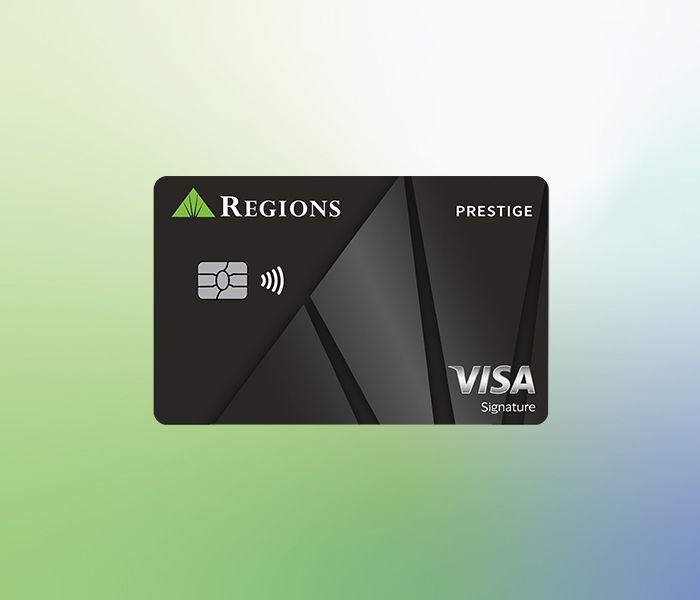
Earn up to 4% on purchases with Rewards Multiplier2
With a new Regions Prestige Visa Signature credit card, you’ll earn 3% cash back on dining and entertainment, 2% cash back on gas and groceries,3 and 1% cash back on ALL other purchases.4 Plus, earn up to 4% back when you also have a Regions personal checking account and register for Rewards Multiplier – that’s an additional 1% back when you maintain certain balances in your Regions deposit accounts.2 Use our Rewards Multiplier calculator to see how much you could earn.
Prestige card rewards at a glance
Credit card control
Regions LockIt® gives you the power to customize how, when and where your credit card can be used.
Alerts to verify card activity
If we see something suspicious, we may text, email and/or call you to determine whether you authorized the transaction.
Visa Zero Liability Policy5
You're not responsible for unauthorized transactions made with your Visa credit card, online or offline.
Interest rates and fees
- 0% introductory APR for 12 months on purchases that post in the same period and on balance transfers that post within 60 days of account opening. After that, a variable APR between 18.74% - 28.74% based on your creditworthiness.
- 28.74% variable APR for cash advances.
- No annual fee.
- $10 balance transfer fee or 4% of the amount of the balance transferred, whichever is greater.
- $10 cash advance fee or 4% of the amount of the cash advance, whichever is greater.
- Late payment fee of up to $39.
- No foreign transaction fee.
- View Prestige Visa Signature Credit Card pricing details.
Card details
- Special offer for new Prestige credit cards:
- Earn 3% on dining & entertainment purchases,3 including fast food.
- Earn 2% on gas and grocery store purchases.3
- Earn 1% on all other purchases.4
- Learn more about this Prestige card special offer.
- Cash back is earned in the form of Relationship Rewards points. This means that each purchase4 will earn at least 1 Relationship Rewards point per $1 spent. Relationship Rewards can be redeemed for a direct deposit into a Regions account, a statement credit, travel, gift cards, and more. Learn more about Relationship Rewards.
- Earn a $200 bonus if you spend $1,000 in the first 90 days after account opening. If you spend at least $500, but not quite $1,000, you will earn a $100 bonus. If earned, your bonus will be awarded 91-100 days from account opening.1
- Earn even more when you register for Regions Rewards Multiplier2 and maintain certain balances in your Regions personal checking and other deposit accounts. Use our Rewards Multiplier calculator to see how much you could earn.
- Regions LockIt® gives you the power to customize how, when and where your credit card can be used for certain types of transactions.
- May receive Term It® offers on qualifying purchases after intro APRs terminate.
- View and activate Regions Offers®6 in Online and Mobile Banking7 to earn cash back at select retailers.
- Alerts to verify card activity. If we see something suspicious, we may text, email and/or call you to determine whether you authorized the transaction.
- Simplified online shopping when you register your Regions credit card and then click to pay where you see this icon Visa Click to Pay8 icon.

- Tap to Pay is a contactless payment option that combines the best of chip card technology and security with the convenience of wireless technology.
- Make purchases using digital wallets. With one touch of your device, pay with your credit card through Apple Pay®, Google Pay®, or Samsung Pay™.
- Option to use your card for overdraft protection on a Regions checking account.
- Customize your card with Regions YourPix Studio at no additional charge.
- Visa Zero Liability Policy9
Other Visa Benefits10
- Visa Signature Concierge Service
- Travel Accident Insurance
- Roadside Dispatch
- Lost Luggage Reimbursement
- Travel & Emergency Assistance, including Emergency Card Replacement/Cash Disbursement
- Auto Rental Collision Damage Waiver
- Extended Warranty Protection
- Purchase Security
- Optional Year-End Summary Statement
- See complete list in Visa's Guide to Benefits.
Frequently Asked Questions
What should I do if I plan to use my card while traveling internationally?
Your card is already activated for international use. There are no steps you need to take. If for some reason your card is declined while traveling internationally, please contact the number on the back of your card for further assistance.
Note: We monitor your accounts and may send automatic alerts if we detect suspicious activity. It's important to keep your contact information like email address and phone number up to date on your account profile, so we can notify you quickly about unusual activity.
How do I add an authorized user?
Log in to Regions Online Banking and navigate to your credit card account. Click the I Want To drop-down arrow on the right, select Add Authorized User, and follow the instructions.
An authorized user can make purchases, report their card lost or stolen, make payments, initiate billing disputes, and make general account inquiries. An authorized user cannot close the account, add another authorized user, request a credit line increase, or create a Term It Plan. You will be responsible for all transactions made by an authorized user.
How do I add my card to a digital wallet?
- Select Cards on the Regions Mobile app menu.
- Pick the Regions card you want to add and select the digital wallet tile on the Manage Cards screen.
- Follow the steps to add to your card to Apple Pay®, Google Pay® or Samsung Pay™.
Compare cards and rewards
Compare our credit cards side by side or use our rewards calculator to find the right rewards card for you.

Maximize your rewards
Make the most of Relationship Rewards with the Regions Rewards Multiplier Program. Register for Rewards Multiplier and you can earn extra rewards on your Prestige Visa card purchases3 when you maintain certain balances in your Regions Bank personal checking and other deposit accounts.
Use our Rewards Multiplier calculator to see how much you could earn.
Related Insights
-
 Article
3 min read
Article
3 min read

-
Article
8 min read

-
Article
6 min read